Troubleshooting
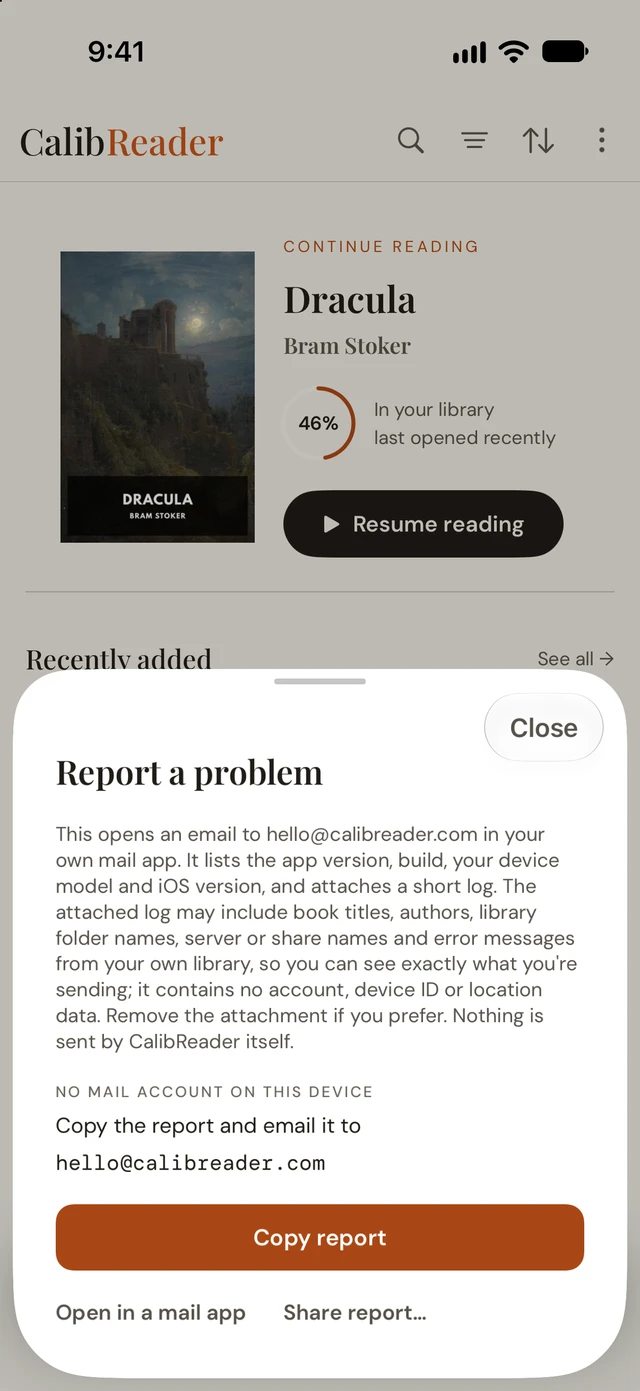
Try these first. Still stuck? In the app, open ⋯ → About CalibReader → Report a problem. We read every message.
Common fixes
- Library won't sync: check that CalibReader points at the folder that holds
metadata.db, and that your cloud app has finished syncing it. Then pull down on the library. - Books missing: let calibre finish saving and your cloud app finish syncing, then pull down on the library or tap ⋯ → Sync now.
- Books or folders missing from a Dropbox library: CalibReader sees exactly what the Files app shows. Open the Files app and browse to that Dropbox folder. If books or folders are missing there too, Dropbox's link to Files has gone stale: delete the Dropbox app, reinstall it from the App Store and sign in. Then pull down on the library in CalibReader.
- "Waiting for Dropbox…" (or iCloud Drive): CalibReader is waiting for the books to come down from your cloud. Check that you're online; the download carries on by itself.
- "Not on your NAS" while "Scanning library…" shows: the first scan of a big library over your network takes a few minutes, and a book can't open until the scan reaches it. Let the scan finish, then open the book again.
- "1 book has no file on the server": that book is in your calibre catalogue, but its file isn't in the library folder. Check it in calibre on your computer.
- Can't reach your server (Self-hosted): make sure your iPhone is on the same network as the server (or connected to it through Tailscale: see Your server, away from home), and that Settings › CalibReader › Local Network is on. Then check the address.
- Read status not showing in calibre: when your cloud app has synced, click Sync Read Status in calibre. The plugin only runs when you click it. Marks you set in calibre reach the phone on its next sync. See Calibre plugin.
Report a problem
Open ⋯ → About CalibReader → Report a problem. It opens an email to us in your own mail app, with the app version, your device model and iOS version, and a short log attached. The log may include book titles, author names and folder or server names, so read it first if you like, or remove it. Nothing is sent until you send the email yourself.
You can also tap Contact us on the same screen.