Reading on iPhone Duo
Open the phone for two pages side by side. Close it, and choose whether the book closes too.
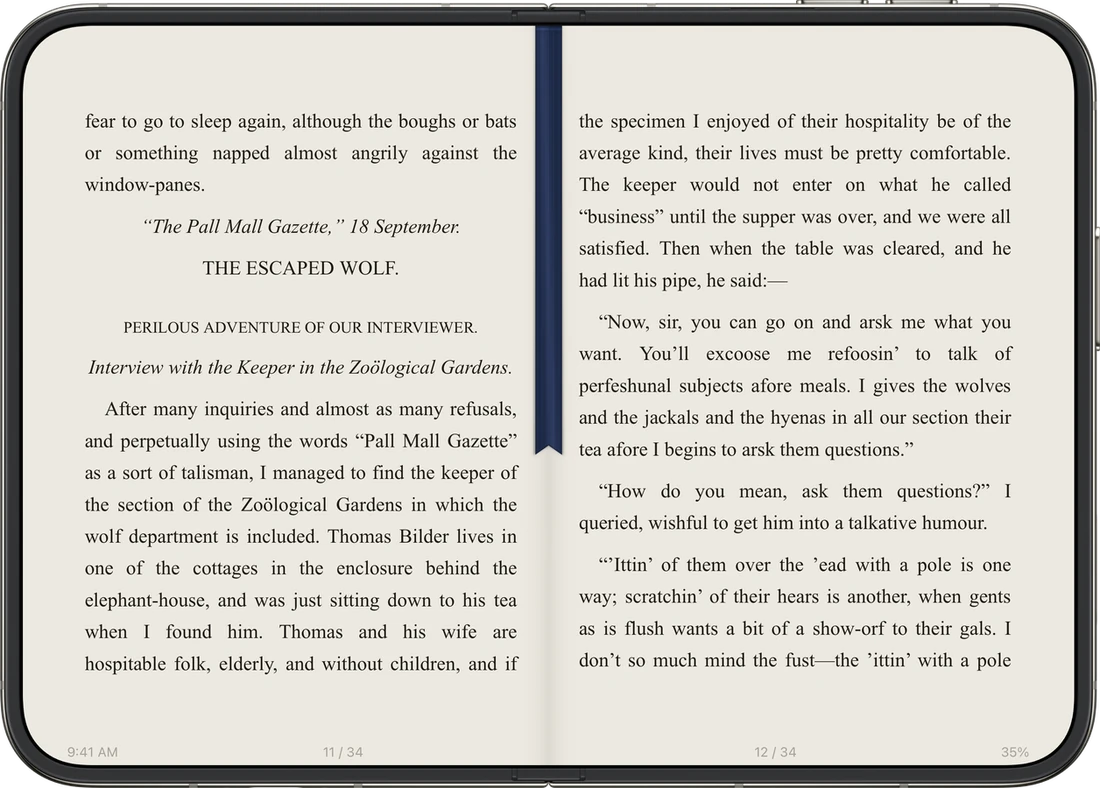
Open: a two-page spread
Open your iPhone Duo and the reader is wide enough for Dual Page: two pages side by side, like an open book. Pick it under Layout in the reader's Visual Settings. Each page turn moves a whole spread.
- Start chapters on a right-hand page begins each chapter on the right, as printed books do.
- On the spread, the side margins are called Outer and Inner: outer is the edge of the page, inner is the side by the fold. (On a single page they're Left and Right.)
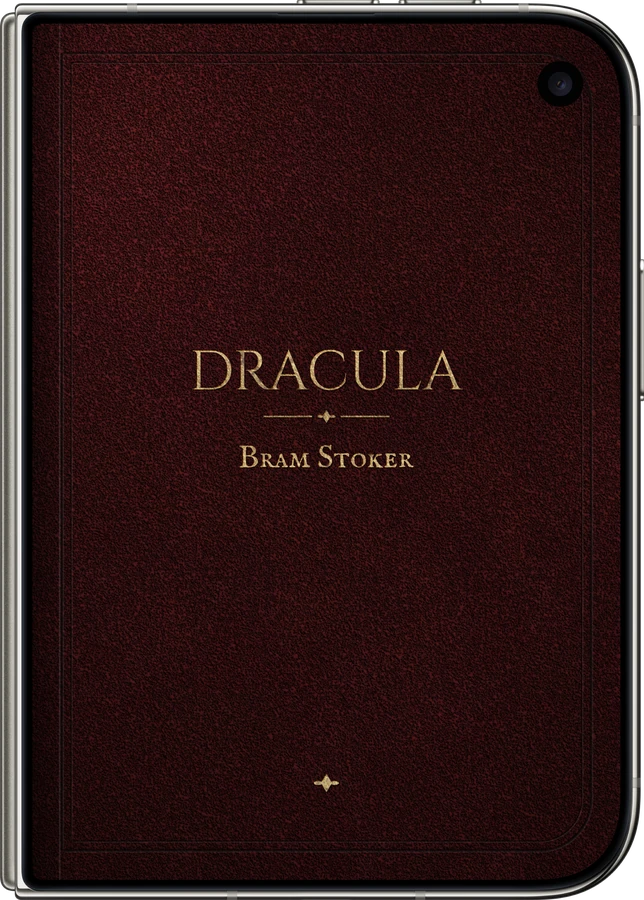
Closed: the cover, or keep reading
Once you've read on the open spread, two more settings appear in Visual Settings:
- When I close the phone: Show the cover closes the book with the phone, the way a real book closes. Keep reading carries on, one page at a time.
- Cover on the closed phone: Leather-bound shows a leather binding with the title and author in gold. Original art shows the book's own cover. This one applies only when closing shows the cover.
Everything else works as it does on any iPhone. See Navigation for the reader and its settings.